
- Blenders
- Blowtorches
- Breadmakers
- Coffee Grinders
- Coffee Makers
- Deep fryers & Airfryers
- Food Cookers
- Food Dehydrators
- Food Mixers & Food Processors
- Hand Blenders
- Hand Mixers
- Ice Cream Makers
- Ice Makers
- Juicers
- Kettles
- Kitchen Scales
- Meat Slicers
- Mincers
- Mini Choppers & Spiralisers
- Other Kitchen Appliances
- Pasta Makers
- Popcorn Makers
- Sandwich Toasters
- Soft Drink Makers
- Toasters
- Vacuum Sealers
- Waffle Makers


TP-Link Network Cards





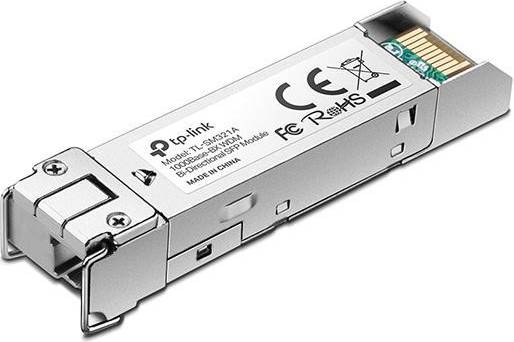


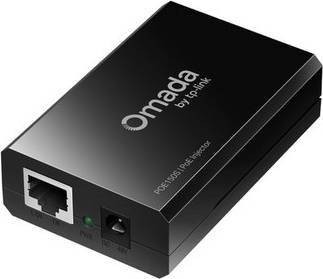


Network Cards: 3 things to consider before buying
Before purchasing a network card, it's crucial to assess your specific networking requirements. Consider whether you need a wired or wireless connection, the speed you require, and compatibility with your existing hardware. For example, if you're gaming or streaming high-definition content, opting for a card that supports faster speeds like Gigabit Ethernet or Wi-Fi 6 might be beneficial.
Ensure the network card is compatible with your computer's motherboard and has the necessary ports for your setup. Look at the card's interface—such as PCIe or USB—and verify it matches an available slot on your device. Also, consider the number of ports you need; some cards offer multiple Ethernet ports, which can be useful for connecting various devices.
Technology evolves quickly, so think about investing in a network card that will accommodate future advancements. Opting for a card with support for the latest standards like Wi-Fi 6 or multi-gigabit Ethernet ensures you're prepared for upcoming upgrades in internet speed and connectivity options. This approach not only extends the lifespan of your purchase but also enhances overall performance.
FAQ
Network cards are hardware components that enable computers to connect to a network. They facilitate data exchange between computers and other devices, ensuring seamless communication. When choosing a network card, consider compatibility with your system, the type of connection (wired or wireless), and the required speed for your tasks.
Network cards convert data into electrical signals for transmission over networks. They receive incoming signals and convert them back into data for the computer to process. Look for cards with efficient data transfer rates that match your internet speed and usage needs.
Network cards come in wired and wireless types. Wired cards use Ethernet cables, while wireless ones connect via Wi-Fi. Choose based on your setup: wired for stable connections or wireless for flexibility.
Upgrading your network card can improve connection speed and reliability. If you experience slow internet speeds or frequent disconnections, a newer card might offer better performance and support modern standards like Wi-Fi 6.
You can install a network card yourself if you're comfortable opening your computer case. Ensure the new card is compatible with your motherboard's slots and follow installation instructions carefully to avoid damage.
Network cards must be compatible with your computer's operating system and motherboard slots. Check specifications before purchasing to ensure they meet system requirements and avoid potential issues.
Borrowing more than you can afford or paying late may negatively impact your financial status and ability to obtain credit. Credit subject to status. Ts&Cs and late fees apply.
Advertisement
Popular searches in Network Cards
- Wifi 7 adapter
- Micro usb ethernet
- Usb 2.5g
- Usb til ethernet
- Wifi bluetooth usb
- Usb c to ethernet adapter
- Poe af
- Usb ethernet adapter
- 10gbase t
- X550 t2
- Windows 11 usb
- Wifi usb adapter
- Netværksadapter pcie
- Bluetooth 5.4
- Usb thunderbolt ethernet
- Tp link 300mbps wireless n adapter
- Startech usb 3.0 gigabit adapter
- Rp sma wlan
- Poe adapter 48
- Bluetooth dongle
Borrowing more than you can afford or paying late may negatively impact your financial status and ability to obtain credit. Credit subject to status. Ts&Cs and late fees apply.