
Blenders
Blowtorches
Breadmakers
Coffee Grinders
Coffee Makers
Deep fryers & Airfryers
Food Cookers
Food Dehydrators
Food Mixers & Food Processors
Hand Blenders
Hand Mixers
Ice Cream Makers
Ice Makers
Juicers
Kettles
Kitchen Scales
Meat Slicers
Mincers
Mini Choppers & Spiralisers
Other Kitchen Appliances
Pasta Makers
Popcorn Makers
Sandwich Toasters
Soft Drink Makers
Toasters
Vacuum Sealers
Waffle Makers


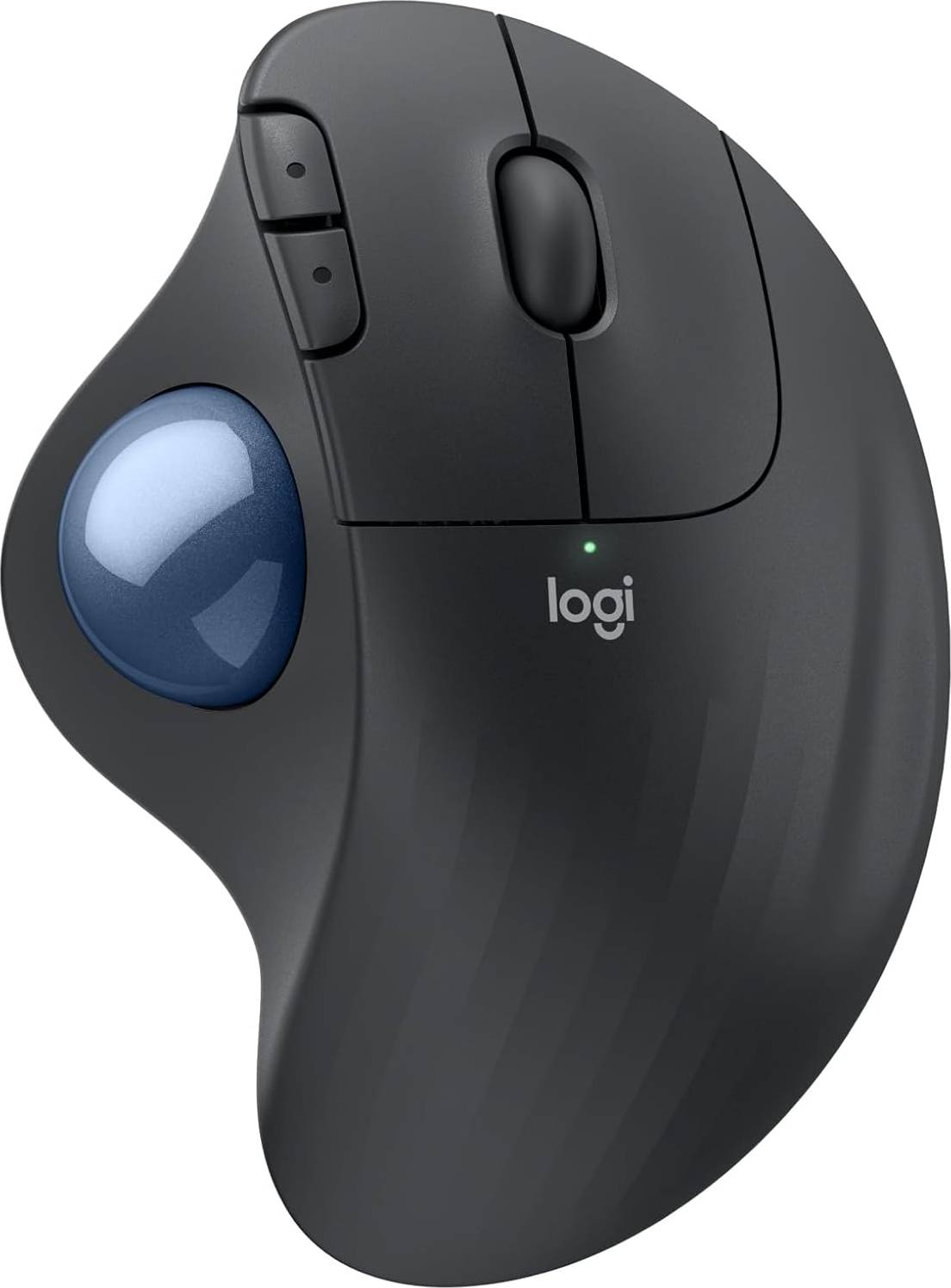
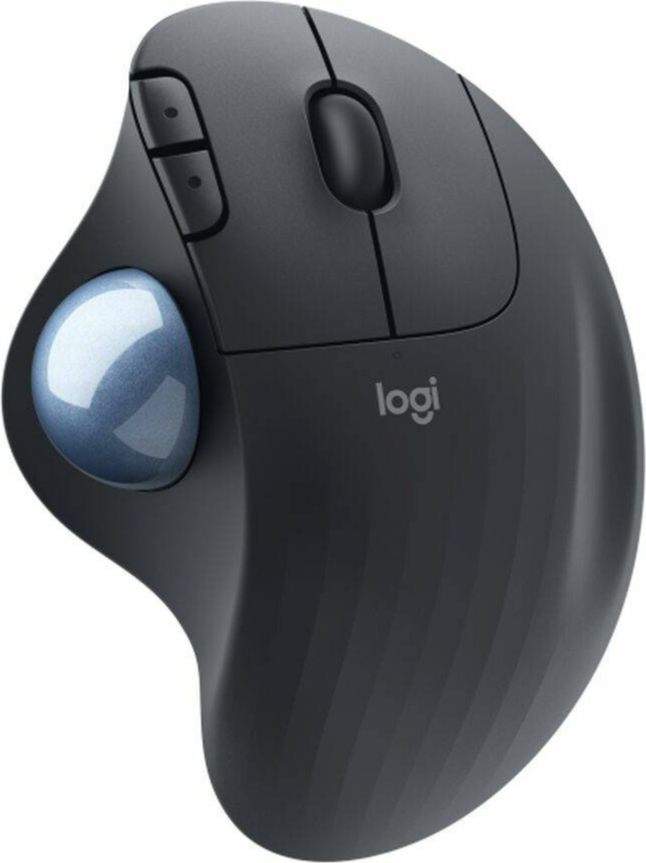
Logitech MX Ergo Wireless


Advertisement
Borrowing more than you can afford or paying late may negatively impact your financial status and ability to obtain credit. Credit subject to status. Ts&Cs and late fees apply.
Related products
Show all




Reviews
Product details
Using a mouse with your computer is pretty important in terms of ergonomics, in particular if you use a laptop. Working with just the touch pad on your laptop for prolonged periods of time might not be the best thing for you.
- Suitable for right-handers
- Side buttons
- Built by Logitech
- Wireless
- Eight buttons
Going wireless with your mouse have several advantages. If you work with a laptop, for example, it's incredibly easy to take the mouse with you the same way you do the computer itself.
You can do a ton of things with this mouse since it's equipped with as many as eight buttons, which of course is more than your conventional computer mouse.
If you compare prices on this model on PriceRunner you will see that the lowest price right now is £105. It is also a top-ranked model in terms of popularity. This model has a high review average of 4.4 out of 5 and all its features make it a premium product.
Features
Product
| Product name | Logitech MX Ergo Wireless |
| Brand | Logitech |
| Type | Trackballs |
Features
| Wireless | Yes |
Measures
| Weight | 259.0 g |
| Width | 99.8 mm |
| Height | 51.4 mm |
| Length | 132.5 mm |
Additional Info
| Created at PriceRunner | 2017-09-06 |
Product Properties
| Yes | |
| Suitable for Left-Handers | No |
| Colour | Black |
| Yes | |
| 8 pcs | |
| No | |
| Left or Right Hand | Right Hand |
| 440 dpi | |
| Yes | |
| Connection | Bluetooth, USB, Radio (RF) |
| Optical |
Feedback
Borrowing more than you can afford or paying late may negatively impact your financial status and ability to obtain credit. Credit subject to status. Ts&Cs and late fees apply.