



Blenders
Blowtorches
Breadmakers
Coffee Grinders
Coffee Makers
Deep fryers & Airfryers
Food Cookers
Food Dehydrators
Food Mixers & Food Processors
Hand Blenders
Hand Mixers
Ice Cream Makers
Ice Makers
Juicers
Kettles
Kitchen Scales
Meat Slicers
Mincers
Mini Choppers & Spiralisers
Other Kitchen Appliances
Pasta Makers
Popcorn Makers
Sandwich Toasters
Soft Drink Makers
Toasters
Vacuum Sealers
Waffle Makers







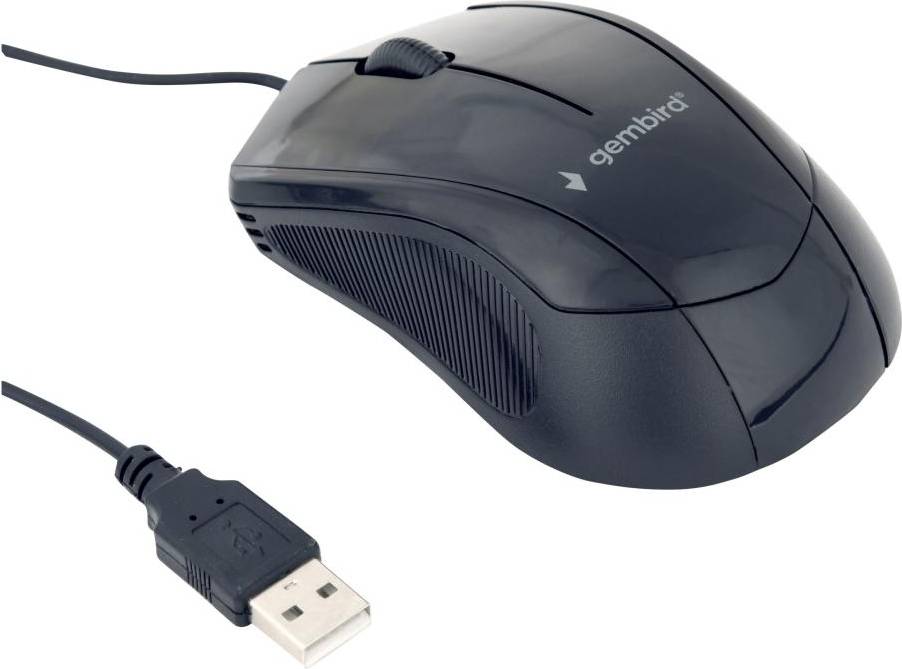


Computer Mice: 3 things to consider before buying
When choosing computer mice, it's crucial to think about how you plan to use them. Are you a gamer, a graphic designer, or someone who primarily uses a computer for browsing and office work? Gaming mice often come with additional programmable buttons and high DPI (dots per inch) for precise movements, which are beneficial for fast-paced games. If you're into design, look for a mouse with ergonomic features to support extended use without causing strain. For general use, a standard optical mouse might be all you need. Tailoring your choice to your specific needs ensures you get the most out of your purchase.
Comfort is key when it comes to computer mice, especially if you'll be using them for long periods. We recommend trying different shapes and sizes to find what feels best in your hand. Ergonomic designs help reduce the risk of repetitive strain injuries by supporting a natural hand position. Look for features like contoured grips or adjustable weights that allow you to customise the feel of the mouse. A comfortable mouse can make a significant difference in your computing experience.
Deciding between wireless and wired computer mice can impact both convenience and performance. Wireless mice offer greater flexibility and reduce clutter on your desk but may require regular battery changes or charging. They are ideal if you value mobility or have limited desk space. On the other hand, wired mice tend to provide more reliable connections and are often preferred by gamers due to their lower latency. Consider where you'll be using the mouse most often and whether you're willing to manage battery life in exchange for convenience.
FAQ
Computer mice are available in various types, including wired, wireless, optical, and ergonomic. Wired mice offer stable connections, while wireless ones provide mobility. Optical mice use LED lights for tracking, and ergonomic designs focus on comfort. Consider your usage needs to choose the right type.
Computer mice for gaming are designed with high precision and additional features. Look for adjustable DPI settings, programmable buttons, and a comfortable grip. A lightweight design can enhance speed and control during gameplay. Evaluate these factors based on your gaming style.
Computer mice with optical sensors use LED lights for tracking movement, suitable for most surfaces. Laser mice use laser beams for higher sensitivity and work on more surface types. Choose optical for standard use or laser if you need more precision on varied surfaces.
Computer mice designed ergonomically help reduce strain during prolonged use. They support a natural hand position, which can prevent discomfort or injury over time. If you spend long hours at the computer, investing in an ergonomic mouse can improve comfort significantly.
Computer mice should be cleaned regularly to maintain functionality. Use a soft cloth slightly dampened with water or alcohol to wipe the exterior. For stubborn dirt around buttons or sensors, a cotton swab can be helpful. Regular cleaning ensures optimal performance and hygiene.
Borrowing more than you can afford or paying late may negatively impact your financial status and ability to obtain credit. Credit subject to status. Ts&Cs and late fees apply.
Advertisement
Popular searches in Computer Mice
- Logitech wireless mouse
- Logitech mx master
- Microsoft bluetooth mouse
- Logitech g pro x superlight 2
- Logitech mx master 4
- Usb c mouse
- Microsoft ergonomic mouse
- Mz1
- Logitech g pro x 2 lightspeed
- Logitech g pro x superlight
- Razer white
- Apple magic mouse black
- Logitech signature m650
- Logitech mouse bluetooth
- Logitech g pro
- Mouse qi
- Glorious model o
- Multi usb
- Apple wireless mouse
- Mouse wireless
- Gaming Mice
- Standard Mice
- Microsoft Computer Mice
- Logitech Gaming Mice
- Computer Mice on sale
- Trackballs
- Wireless Gaming Mice
- Logitech Computer Mice
- Razer Computer Mice
- Wireless Computer Mice
- USB - Wireless Gaming Mice
- Gaming Mice
- 3D Mice
- Rollerbars
- Trust Computer Mice
- Bluetooth - Wireless Computer Mice
- HP Computer Mice
- Apple Trackpads
- Wireless Computer Mice on sale
- Corsair Wireless Computer Mice
Borrowing more than you can afford or paying late may negatively impact your financial status and ability to obtain credit. Credit subject to status. Ts&Cs and late fees apply.