


Blenders
Blowtorches
Breadmakers
Coffee Grinders
Coffee Makers
Deep fryers & Airfryers
Food Cookers
Food Dehydrators
Food Mixers & Food Processors
Hand Blenders
Hand Mixers
Ice Cream Makers
Ice Makers
Juicers
Kettles
Kitchen Scales
Meat Slicers
Mincers
Mini Choppers & Spiralisers
Other Kitchen Appliances
Pasta Makers
Popcorn Makers
Sandwich Toasters
Soft Drink Makers
Toasters
Vacuum Sealers
Waffle Makers






Wacom Graphics Tablets
Try flexible payments withLearn how
58 products


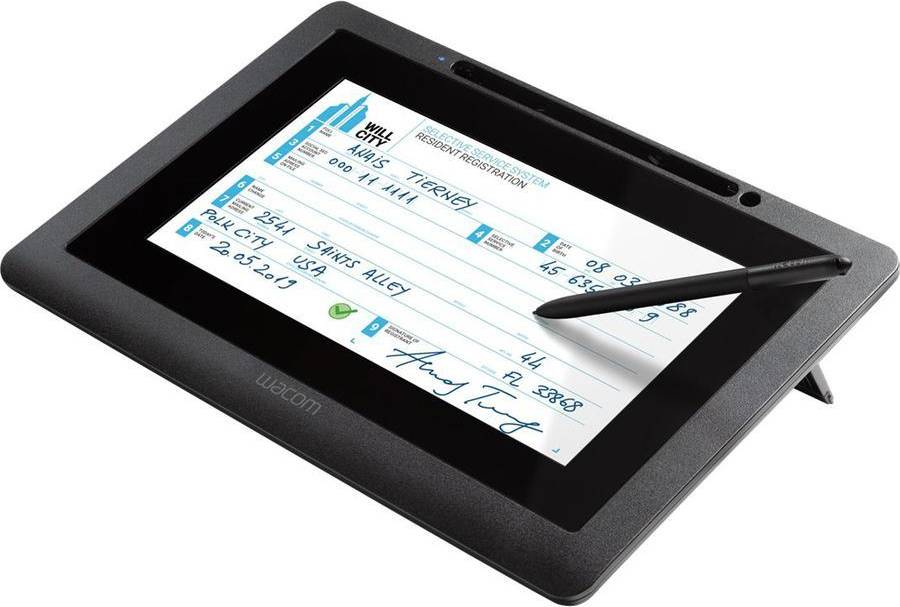


Graphics Tablets: 3 things to consider before buying
When choosing a graphics tablet, it's crucial to consider both size and resolution. A larger tablet offers more space for drawing, which can be beneficial for detailed work, while a smaller one is more portable and easier to handle. Resolution, measured in lines per inch (LPI), determines how much detail the tablet can capture. Higher resolution is ideal for intricate designs. We recommend evaluating your workspace and intended use—whether you need a portable option or a dedicated studio setup—to find the right balance.
Not all graphics tablets are compatible with every software package. Before purchasing, ensure that the tablet works seamlessly with your preferred applications, such as Adobe Photoshop or Corel Painter. Some tablets come with bundled software that can enhance your creative process, so it's worth exploring these options too. We suggest checking the manufacturer's website for compatibility lists and user reviews to avoid any surprises.
Pressure sensitivity is a key feature of graphics tablets that affects how they respond to your touch. Tablets with higher pressure sensitivity levels allow for more nuanced lines and strokes, providing greater control over your artwork's depth and texture. Look for tablets offering at least 2048 pressure levels if you're serious about digital art. This feature is particularly important for artists who require precision in their work, such as illustrators or graphic designers. By understanding your artistic needs, you can choose a tablet that enhances your creative expression.
FAQ
Graphics tablets are devices used for digital drawing and design. They allow you to create art directly on a computer screen using a stylus. Key uses include digital illustration, photo editing, and graphic design, making them essential tools for artists and designers seeking precision and control.
Graphics tablets come in various sizes to suit different needs. A larger tablet offers more drawing space, ideal for detailed work, while a smaller one is more portable. Consider your workspace, portability needs, and the level of detail in your projects when choosing a size.
Graphics tablets are equipped with features like pressure sensitivity, resolution (measured in LPI), and connectivity options. Higher pressure sensitivity allows more precise control over line thickness, while higher resolution provides better detail. Look for models with USB or wireless connectivity based on your setup preferences.
Graphics tablets are generally compatible with major operating systems like Windows, macOS, and some Linux distributions. Check the manufacturer's specifications to ensure compatibility with your system. Some tablets may also require specific drivers or software installations for optimal performance.
Graphics tablets can have an integrated display screen or rely on an external monitor. A built-in screen allows direct interaction with artwork but can be costlier. Consider your budget and workflow preferences when deciding if you need this feature; many professionals work effectively without it.
1
2Borrowing more than you can afford or paying late may negatively impact your financial status and ability to obtain credit. Credit subject to status. Ts&Cs and late fees apply.
Advertisement
Popular searches in Graphics Tablets
- Remarkable 2 tablet
- Lcd writing tablet
- Xppen
- Wacom tablet
- Wacom intuos pro:
- Bluetooth pen
- Wacom cintiq 27
- Xppen artist 15.6 pro
- Chromebook tablet
- Xp pen deco
- Wacom one
- Smart pen
- Cintiq 16
- XP-Pen Graphics Tablets
- ReMarkable Graphics Tablets
- A5 Graphics Tablets
- Multitouch Graphics Tablets
- 16:9 Graphics Tablets
- Graphics Tablets on sale
- Huion Graphics Tablets
- Ugee Graphics Tablets
- Battery Graphics Tablets
- DisplayPort Graphics Tablets
- 2540 lpi Graphics Tablets
- 5080 lpi Graphics Tablets
- HDMI Graphics Tablets
- Black Graphics Tablets
- Yellow Graphics Tablets
- Red Graphics Tablets
- Pink Graphics Tablets
- Chrome Graphics Tablets
- Natural Graphics Tablets
- Rechargeable Battery Graphics Tablets
- AC Mains Graphics Tablets
- Mac OS Graphics Tablets
- 1920x1080 (Full HD) - Mac OS Graphics Tablets
- 2560x1440 - Mac OS Graphics Tablets
- 3840x2160 (4K Ultra HD) - Mac OS Graphics Tablets
- 320x240 Graphics Tablets
- 1920x1080 (Full HD) Graphics Tablets
Borrowing more than you can afford or paying late may negatively impact your financial status and ability to obtain credit. Credit subject to status. Ts&Cs and late fees apply.