• Sale
  • Blogs
  • How to use
  • About us
Home & Interior
Kitchen
  1. Start
  2. Computing
  3. Networking
  4. USB Hubs
  5. Kebidumei USB Hubs

Kebidumei USB Hubs

Try flexible payments withKlarnaLearn how

Filter
  • USB Hubs
Product Properties
Connections
Measures

60 products

Show as table
Kebidumei USB Hubs Kebidumei USB 2.0 Splitter Hub Adapter

Kebidumei USB 2.0 Splitter Hub Adapter

£0.80
Or 3 interest-free payments of £0.26/mo.*
1store
Kebidumei USB Hubs Kebidumei 3 Ports USB 3.0 Hub Mini Adapter

Kebidumei 3 Ports USB 3.0 Hub Mini Adapter

£1.10
Or 3 interest-free payments of £0.36/mo.*
1store
Kebidumei USB Hubs Kebidumei 4 Ports USB C Docking Station Hub

Kebidumei 4 Ports USB C Docking Station Hub

£1.30
Or 3 interest-free payments of £0.43/mo.*
1store
Kebidumei USB Hubs Kebidumei Stazione Docking USB C 5 Porte Tipo C

Kebidumei Stazione Docking USB C 5 Porte Tipo C

£1.30
Or 3 interest-free payments of £0.43/mo.*
1store
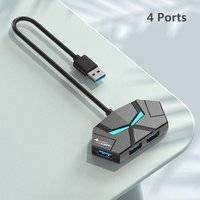
Kebidumei 4 Port Mini 2.0 USB Hub Socket

Kebidumei 4 Port Mini 2.0 USB Hub Socket

USB-A

£1.30
Or 3 interest-free payments of £0.43/mo.*
1store
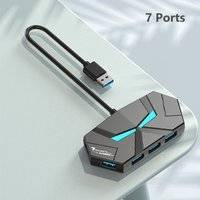
Kebidumei 4 7 Ports USB Hub with On Off Switch
-13%

Kebidumei 4 7 Ports USB Hub with On Off Switch

£1.40£1.60
Or 3 interest-free payments of £0.46/mo.*
1store
Kebidumei 4-in-1 USB C Hub 3.0 PD 60W

Kebidumei 4-in-1 USB C Hub 3.0 PD 60W

£1.50
Or 3 interest-free payments of £0.50/mo.*
1store
Kebidumei 4-in-1 USB C Hub 3.0 PD 60W

Kebidumei 4-in-1 USB C Hub 3.0 PD 60W

£1.60
Or 3 interest-free payments of £0.53/mo.*
1store
Kebidumei 4 Ports USB 3.0 Hub Docking Station

Kebidumei 4 Ports USB 3.0 Hub Docking Station

£1.70
Or 3 interest-free payments of £0.56/mo.*
1store
Kebidumei Stazione Docking USB C 5 Porte Tipo C

Kebidumei Stazione Docking USB C 5 Porte Tipo C

£2.10
Or 3 interest-free payments of £0.70/mo.*
1store
Kebidumei USB Type C Hub 7 Ports

Kebidumei USB Type C Hub 7 Ports

£2.30
Or 3 interest-free payments of £0.76/mo.*
1store
Kebidumei USB Type C Hub 7 Ports

Kebidumei USB Type C Hub 7 Ports

£2.30
Or 3 interest-free payments of £0.76/mo.*
1store
Kebidumei 4 Ports USB 3.0 Hub Multi USB Splitter

Kebidumei 4 Ports USB 3.0 Hub Multi USB Splitter

£2.60
Or 3 interest-free payments of £0.86/mo.*
1store
Kebidumei 8 in 2 USB C Hub Docking Ststion

Kebidumei 8 in 2 USB C Hub Docking Ststion

£2.80
Or 3 interest-free payments of £0.93/mo.*
1store
Kebidumei 8 In 2 Type C Docking Station USB Splitter Adapter

Kebidumei 8 In 2 Type C Docking Station USB Splitter Adapter

£2.80
Or 3 interest-free payments of £0.93/mo.*
1store
Kebidumei 5-IN-2 USB C Hub Type C To USB 3.0

Kebidumei 5-IN-2 USB C Hub Type C To USB 3.0

£3.00
Or 3 interest-free payments of £1.00/mo.*
1store
Kebidumei 4-in-1 USB C Hub 3.0 PD 60W

Kebidumei 4-in-1 USB C Hub 3.0 PD 60W

£3.20
Or 3 interest-free payments of £1.06/mo.*
1store
Kebidumei 4 In 1 USB 3.0 Hub Multi Splitter Adapter

Kebidumei 4 In 1 USB 3.0 Hub Multi Splitter Adapter

£3.40
Or 3 interest-free payments of £1.13/mo.*
1store
Kebidumei 7 In 1 USB C Hub Adapter PD
-13%

Kebidumei 7 In 1 USB C Hub Adapter PD

£4.90£5.60
Or 3 interest-free payments of £1.63/mo.*
1store

USB Hubs: 3 things to consider before buying

When selecting USB hubs, think about how many devices you plan to connect. If you have multiple gadgets like a keyboard, mouse, and external hard drive, opt for USB hubs with at least four ports. More ports allow greater flexibility and future-proofing for additional devices. Remember that some USB hubs offer a mix of USB-A and USB-C ports, which can be handy if you have newer devices.

USB hubs can be powered or unpowered. Powered USB hubs come with an external power adapter and are ideal for connecting power-hungry devices such as printers or scanners. On the other hand, unpowered USB hubs draw power from your computer, making them suitable for low-power devices like flash drives. Consider your specific needs to choose the right type of hub.

Ensure the USB hubs you choose are compatible with your devices' operating systems and support the required data transfer speeds. For instance, if you frequently transfer large files or stream high-definition content, look for USB 3.0 or 3.1 hubs, as they offer faster data rates compared to older versions like USB 2.0. Backward compatibility is also essential if you have older devices; most modern hubs will accommodate them without issue.

USB HUBS

FAQ

USB hubs are devices that expand a single USB port into multiple ports, allowing you to connect several peripherals to your computer. They are ideal for users needing more connectivity options for devices like keyboards, mice, and external drives. Consider the number of ports and power supply when choosing one.

USB hubs are selected based on the number of ports, data transfer speed, and power requirements. Determine how many devices you need to connect and whether high-speed data transfer is essential. Some hubs offer additional features like charging capabilities or compatibility with specific operating systems.

USB hubs can affect performance if they do not provide sufficient power or bandwidth for connected devices. Choose powered hubs for better performance with multiple high-demand devices. Ensure the hub supports USB 3.0 or higher for faster data transfer rates.

You’ve viewed 48 out of 60 products

Advertisement

PriceRunner
  • About us
  • Contact us
  • Newsroom
  • Sustainability
  • Job openings

Since 1999, PriceRunner has helped millions of visitors find the best products at the best prices.

PriceRunner is entirely independent and free to use. Our vision is to be your go-to site that you can always count on when comparing products and prices. PriceRunner became a part of Klarna 2022.

You can compare prices and products with us in:

Sweden, Denmark, The UK, Norway, USA, Germany, Austria, Finland, France, Ireland, Italy, Netherlands, Spain

Copyright 1999-2026 Klarna Technologies AB