
Blenders
Blowtorches
Breadmakers
Coffee Grinders
Coffee Makers
Deep fryers & Airfryers
Food Cookers
Food Dehydrators
Food Mixers & Food Processors
Hand Blenders
Hand Mixers
Ice Cream Makers
Ice Makers
Juicers
Kettles
Kitchen Scales
Meat Slicers
Mincers
Mini Choppers & Spiralisers
Other Kitchen Appliances
Pasta Makers
Popcorn Makers
Sandwich Toasters
Soft Drink Makers
Toasters
Vacuum Sealers
Waffle Makers






Optical Drives: 3 things to consider before buying
When purchasing optical drives, it's crucial to ensure compatibility with your existing hardware. Check the connection type—whether it's USB, SATA, or an older IDE interface—to match your computer's ports. If you're using a laptop, you might need an external optical drive that connects via USB. Operating system compatibility is also important; make sure the optical drive supports your version of Windows, macOS, or Linux. By confirming these details in advance, you avoid any unpleasant surprises and ensure a seamless setup.
Before buying an optical drive, consider what you'll primarily use it for. If you plan to watch films or burn large amounts of data, a Blu-ray drive offers higher capacity and better performance than a standard DVD drive. For basic tasks like installing software or playing CDs, a more affordable DVD drive might suffice. Assessing your needs helps you choose an optical drive with the right features without overspending on unnecessary capabilities.
Optical drives come with various features that can enhance your experience. Some models offer faster read/write speeds, which can save time when burning discs or transferring files. Others include multimedia capabilities, such as support for 3D playback or upscaling DVDs to near-HD quality. Consider whether features like built-in software for disc authoring or noise reduction technology are important to you. By focusing on these additional features, you can select an optical drive that not only meets but exceeds your expectations.
FAQ
Optical drives are devices that read and write data from optical discs like CDs, DVDs, and Blu-rays. They use laser technology to interpret the data stored on these discs. When choosing an optical drive, consider compatibility with your computer, the types of discs you plan to use, and whether you need read-only or read/write capabilities.
Optical drives are selected based on their compatibility with your computer and the types of discs they support. Consider whether you need a drive that reads or writes CDs, DVDs, or Blu-rays. Also, check if it connects via USB or internally through SATA ports.
Optical drives can play Blu-ray discs if they are specifically designed for Blu-ray playback. Not all drives have this capability, so check the product specifications before purchasing. Blu-ray drives often support higher storage capacity and better video quality compared to standard DVD drives.
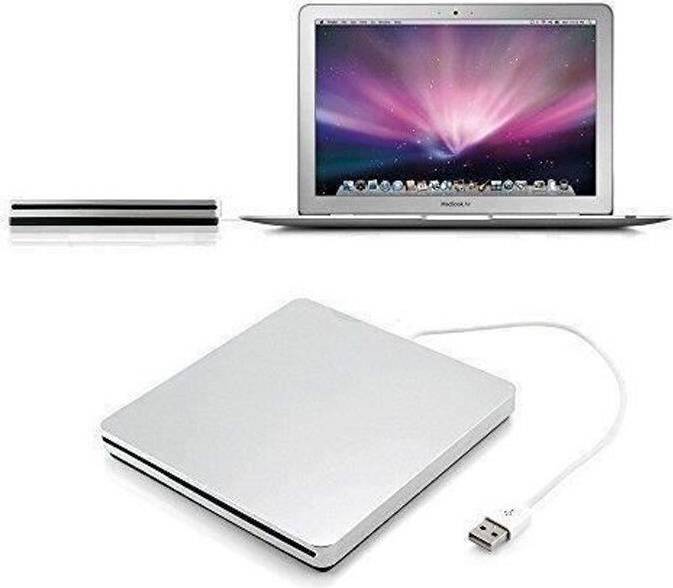
Optical drives are available in both external and internal forms. External drives offer portability and easy connection via USB, making them ideal for laptops without built-in drives. Internal drives are integrated into desktop computers and may provide faster data transfer rates.
Optical drives are less common in modern laptops due to space-saving designs and the rise of digital downloads. If you need one, consider an external drive that connects via USB. This allows you to access disc media without compromising on your laptop's slim profile.
Borrowing more than you can afford or paying late may negatively impact your financial status and ability to obtain credit. Credit subject to status. Ts&Cs and late fees apply.
Advertisement
Popular searches in Optical Drives
- Portable blu ray player
- External cd dvd usb 3.0
- Blu ray recorder
- Cd burner
- Dvd rom
- Usb c cd drive
- Dvd and cd player
- Cd rw drive
- Laptop with cd drive
- Dw316
- Pc blu ray drive
- Usb cd drive
- External har drive usb c
- Ekstern disk
- Asus bw
- Pioneer Optical Drives
- External Optical Drives
- LG Optical Drives
- M-Disc Optical Drives
- ASUS Optical Drives
- Dell Optical Drives
- SATA Optical Drives
- Blu-ray Optical Drives
- Blu-ray - External Optical Drives
- Dual Layer Optical Drives
- HP Optical Drives
- LG Dual Layer Optical Drives
- Lenovo Optical Drives
- Verbatim Optical Drives
- Blu-ray Optical Drives
- USB-C Optical Drives
- Internal Optical Drives
- BUNUD Optical Drives
- Windows Optical Drives
- Hitachi/LG Optical Drives
- CD Optical Drives
- DVD Optical Drives
- DVD+R 8x Optical Drives
- DVD+RW 8x Optical Drives
- DVD-R 8x Optical Drives
Borrowing more than you can afford or paying late may negatively impact your financial status and ability to obtain credit. Credit subject to status. Ts&Cs and late fees apply.