



Blenders
Blowtorches
Breadmakers
Coffee Grinders
Coffee Makers
Deep fryers & Airfryers
Food Cookers
Food Dehydrators
Food Mixers & Food Processors
Hand Blenders
Hand Mixers
Ice Cream Makers
Ice Makers
Juicers
Kettles
Kitchen Scales
Meat Slicers
Mincers
Mini Choppers & Spiralisers
Other Kitchen Appliances
Pasta Makers
Popcorn Makers
Sandwich Toasters
Soft Drink Makers
Toasters
Vacuum Sealers
Waffle Makers





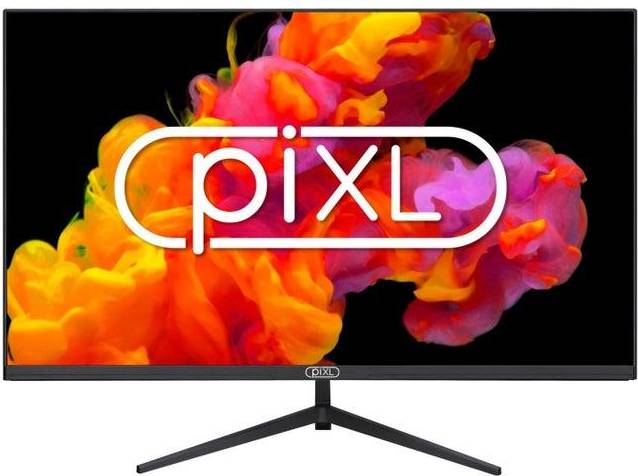
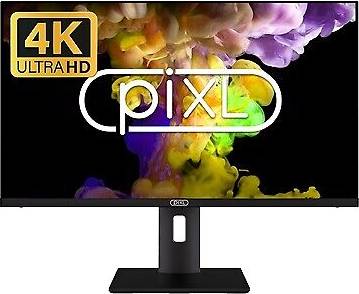
Pixl Monitors
Try flexible payments withLearn how
22 products






Monitors: 3 things to consider before buying
When choosing a monitor, it's crucial to consider both size and resolution to ensure it meets your needs. Larger monitors are ideal if you multitask or enjoy immersive gaming experiences, while smaller ones may suit compact workspaces. For clarity, opt for higher resolutions like 1440p or 4K, especially if you work with detailed graphics or video editing. Remember that a larger screen with low resolution can result in less sharp images. Consider your desk space and how far you'll sit from the screen to find the perfect balance.
If you're a gamer or use graphics-intensive applications, pay attention to the monitor's refresh rate and response time. A higher refresh rate, such as 120Hz or 144Hz, provides smoother visuals, which is particularly beneficial for fast-paced games. Similarly, a lower response time, ideally under 5ms, reduces motion blur and ghosting effects. Even for non-gamers, these features contribute to an overall better viewing experience.
Before making a purchase, evaluate the connectivity options available on the monitor to ensure compatibility with your devices. Look for multiple ports such as HDMI, DisplayPort, and USB-C to connect various peripherals easily. If you plan on connecting multiple devices simultaneously or using your monitor as a hub, having multiple input options is advantageous. Additionally, consider whether the monitor includes built-in speakers or headphone jacks if audio output is important for your setup.
FAQ
Monitors are essential for computing tasks, and key features include screen size, resolution, refresh rate, and connectivity options. Screen size affects how much you can see at once, while resolution determines clarity. A higher refresh rate ensures smoother visuals, and varied connectivity options allow compatibility with different devices.
Monitors are available in various sizes, commonly ranging from 24″ to 32″. A 27″ screen is often ideal for most users as it provides ample space without overwhelming your desk. Consider your workspace and typical use; smaller screens suit compact spaces, while larger ones benefit multitasking.
Monitors with higher resolution offer sharper images and more detail. Common resolutions include Full HD (1920x1080), Quad HD (2560x1440), and 4K (3840x2160). Higher resolutions improve visual quality but may require more powerful hardware to run smoothly, especially in gaming or graphic design.
Monitors with higher refresh rates provide smoother motion by updating images more frequently per second. Standard monitors have a 60Hz refresh rate, while gaming monitors often offer 120Hz or higher. A higher refresh rate benefits fast-paced activities like gaming or video editing by reducing motion blur.
Monitors typically offer HDMI, DisplayPort, and USB-C connections. HDMI is common for most devices, while DisplayPort provides better support for high resolutions and refresh rates. USB-C allows single-cable connections for power and data transfer. Choose based on your device compatibility and future-proofing needs.
Borrowing more than you can afford or paying late may negatively impact your financial status and ability to obtain credit. Credit subject to status. Ts&Cs and late fees apply.
Advertisement
Popular searches in Monitors
- 49 inch monitor
- Apple studio display
- Portable monitor
- 32" 4k monitor
- Ultrawide curved monitor
- 32 4k oled
- 32 inch curved gaming monitor
- 4k 240hz oled
- Samsung odyssey g9
- Samsung odyssey g7
- Gaming monitor 360hz
- Samsung 49 inch monitor
- 34 oled
- 24 4k monitor
- 240hz gaming monitors
- Samsung odyssey g9 oled
- 34" curved monitor
- 4k curved monitor
- Lg 34" ultrawide
- Samsung 32 monitor
- OLED Monitors
- 3840x2160 (4K) Monitors
- 3440x1440 (UltraWide) Monitors
- 3840x2160 (4K) - OLED Monitors
- Glossy Monitors
- Gaming Monitors
- 2560x1440 Monitors
- 2560x1440 - OLED Monitors
- 3840x1600 (UltraWide) Monitors
- 5120x2880 (5K) Monitors
- 5120x2160 (UltraWide) Monitors
- 5120x1440 (UltraWide) Monitors
- MSI Monitors
- 3440x1440 (UltraWide) - OLED Monitors
- White Monitors
- 1000R Monitors
- 2560x1440 - White Monitors
- IPS/PLS Monitors
- 21:9 - Curved Screen Monitors
- KTC Monitors
Borrowing more than you can afford or paying late may negatively impact your financial status and ability to obtain credit. Credit subject to status. Ts&Cs and late fees apply.