
- Blenders
- Blowtorches
- Breadmakers
- Coffee Grinders
- Coffee Makers
- Deep fryers & Airfryers
- Food Cookers
- Food Dehydrators
- Food Mixers & Food Processors
- Hand Blenders
- Hand Mixers
- Ice Cream Makers
- Ice Makers
- Juicers
- Kettles
- Kitchen Scales
- Meat Slicers
- Mincers
- Mini Choppers & Spiralisers
- Other Kitchen Appliances
- Pasta Makers
- Popcorn Makers
- Sandwich Toasters
- Soft Drink Makers
- Toasters
- Vacuum Sealers
- Waffle Makers


MIDI Sound Cards


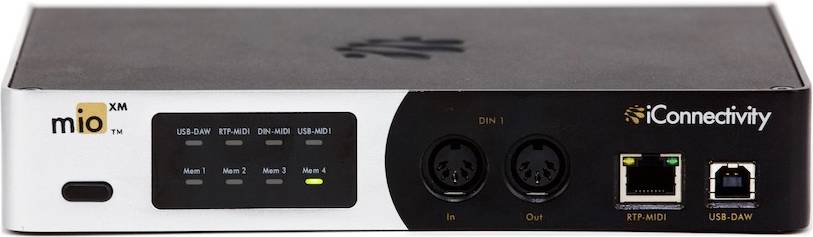


Sound Cards: 3 things to consider before buying
Before purchasing a sound card, think about how you plan to use it. Are you a gamer looking for immersive audio experiences, or maybe a music producer needing high-fidelity sound? Gamers might benefit from sound cards with features like surround sound and low-latency processing, while audiophiles should look for options that support high-resolution audio formats. Understanding your specific needs will help narrow down your choices and ensure you select a sound card that enhances your computing experience.
It's essential to ensure that the sound card you're considering is compatible with your current system. Check the interface type, such as PCIe or USB, to make sure it matches your computer's available slots or ports. Also, verify the operating system compatibility; some sound cards may have limited support for certain versions of Windows, macOS, or Linux. Ensuring compatibility will save you time and hassle during installation.
Audio quality can vary significantly between different sound cards. Look for specifications like signal-to-noise ratio (SNR) and bit depth—higher values generally indicate better audio performance. Additionally, consider features such as built-in amplifiers for headphones or support for 7.1 surround sound if these are important for your use case. By focusing on audio quality and relevant features, you can enhance your listening experience whether you're gaming, watching movies, or producing music.
Borrowing more than you can afford or paying late may negatively impact your financial status and ability to obtain credit. Credit subject to status. Ts&Cs and late fees apply.
Advertisement
Popular searches in Sound Cards
- Sound blaster creative
- Usb audio interface
- XLR Sound Cards
- 3.5 mm Jack Sound Cards
- 32 bit Sound Cards
- USB-A Sound Cards
- Optical S/PDIF Sound Cards
- Sound Cards on sale
- Creative Sound Cards
- ASUS Sound Cards
- Coaxial S/PDIF Sound Cards
- PCIe x1 Sound Cards
- 6.3 mm Jack Sound Cards
- RCA (Line) Sound Cards
- Focusrite Sound Cards
- Coaxial S/PDIF Sound Cards
- External - USB-A Sound Cards
- PCI Sound Cards
- PCIe Sound Cards
- USB-C Sound Cards
- External Sound Cards
- Internal Sound Cards
- RCA (Line) Sound Cards
- XLR Sound Cards
- MIDI Sound Cards
- 3.5 mm Jack Sound Cards
- 7.1 Sound Cards
- 16 bit Sound Cards
- 24 bit Sound Cards
- 48 kHz Sound Cards
- 96 kHz Sound Cards
- Highest rated Sound Cards
- Cheap Sound Cards
Borrowing more than you can afford or paying late may negatively impact your financial status and ability to obtain credit. Credit subject to status. Ts&Cs and late fees apply.